
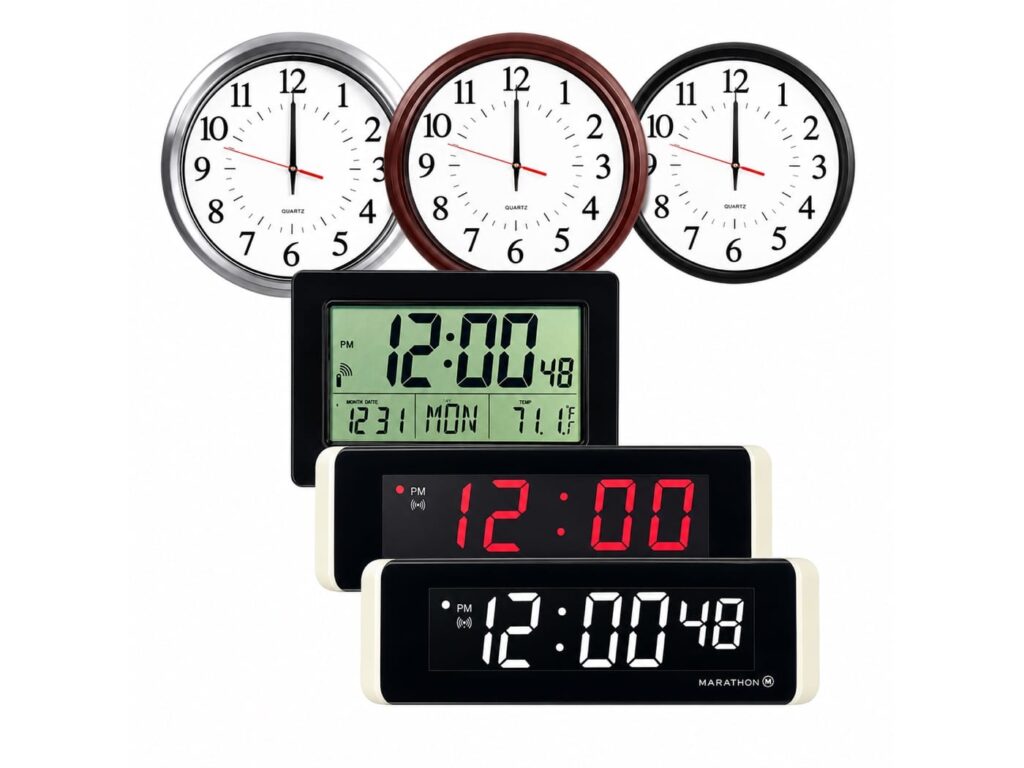
A school communication system is the building-level network of synchronized clocks, automated bells, public address speakers, intercom stations, message boards, and silent panic alert switches that moves a K-12 campus through its day. Without one, a school runs on mismatched clocks, hand-rung schedules, and announcements that never reach the gym or the parking lot. We have been building these systems for schools since 2008 from Culver City, California, and the transmitter we ship today broadcasts at 5 watts on a licensed 467 MHz frequency, enough power to synchronize every clock in a 300,000 square foot school from one wall-mounted unit. This page explains how the whole system works, what each part does, and where a building system ends and school software begins.
In Short: What a School Communication System Does
- One synchronized communication system runs the clocks, bells, paging, digital signage, and silent panic alerts for an entire school and it scales to multiple schools across an entire school district.
- Three clock technologies (467 MHz wireless, Wi-Fi, and Power over Ethernet) sync to one GPS or NTP time source, adjust for daylight saving time automatically, and need no maintenance beyond batteries every five years.
- The same network carries daily operations and emergency response: class-change tones, all-call announcements, and one-press lockdown alerts that reach every hallway at the same second.
- Every system ships with free tech support, no subscriptions, and no maintenance contracts. The schools own their communication tools outright.
The School District Communication System That Runs the School Day
Follow the day and you will see why synchronization is the whole game. At 7:58 the first tone sounds in every hallway at once, because the bell schedule pulls its time from the same transmitter as every clock in the building. Teachers start class on time because the clock in room 114 agrees with the clock in the front office, and students stop arguing about which one is right. Morning announcements, attendance reminders, lunch menus, upcoming events go out over the public address speakers to every classroom, and to just the sixth-grade wing when that is all the message concerns. Passing periods move on schedule changes the office programmed once, back in August. And when something goes wrong, the same speakers and message boards that ran the morning carry emergency notifications to students and staff in every corner of the campus.
That is the standard we build to for every school district: one system, one time source, effective communication for daily operations and emergency situations alike, so students and teachers can stay informed without anyone touching a separate tool. When the clocks, bells, and paging disagree with each other, teaching time bleeds away in five-minute increments and no one can say the school runs on time. When they agree, the entire school community, students, teachers, and front-office staff stops thinking about the infrastructure at all, which is exactly the point of communication systems for schools done right.
Clock Systems for Schools: Three Ways to Stay Synchronized
Every school communication system we build starts with accurate time, and schools choose from three clock technologies depending on the building and budget.
Here is what that means for your school: every clock in the building right, every day, with nothing for your facilities staff to maintain. Our wireless school clocks and 5 watt KRONOsync® wireless clock transmitter cover a 300,000 square foot school from one wall-mounted unit. So hang a clock anywhere, no wiring project, and the FCC license that ships with the transmitter guarantees no interference from the crowd of wireless technology already inside educational institutions. Larger campus or extra buildings? A repeater covers any area, for an unlimited number of clocks.
If your building’s strengths lie elsewhere, we match the technology to what you already own: Wi-Fi clocks ride the wireless network the school already has, and PoE clocks draw power and time through the network cabling school districts standardize on for new construction with no batteries, no outlets, nothing to touch.
Whichever fits, the benefit is the same: one GPS or NTP time source, daylight saving handled automatically every spring and fall, and a maintenance schedule that reads “replace batteries every five years” or, on electric and network-powered models, nothing at all. Your custodians go back to real work, and nobody climbs a ladder in November again.
A Bell Schedule That Runs Itself, All Year
The K-12 school bell system is where accurate time becomes an orderly building and recovered teaching time is the benefit your teachers will actually feel. A failing buzzer system robs teachers of minutes they can never get back; a synchronized one means students move to and from classrooms on time, classes start on time, and nobody gets to say the clocks were wrong. Your office programs the regular day, the assembly day, the early-release day, and exam week once, then switches between them from a desktop when the calendar demands it. Physical buzzers, tones over the speaker system, wireless bells, and network bells all follow that one schedule, so a school never has two systems arguing about when class starts. Bell scheduling stops being anyone’s job, it just happens.
The School Sound System: PA, Intercom, and Digital Signage
Clear audio is the difference between a message sent and a message heard, and the benefit our school PA systems deliver is simple: nobody on your campus is out of reach. Coverage spans the complete K-12 grounds, every classroom and interior public area, plus the outside parking lots and athletic fields for operational and emergency communications alike. This is the all-call backbone of the whole building. Your staff broadcast live from any authorized desktop or from a smartphone on the same network, to one classroom, one office, or the entire school, and the same system plays pre-recorded music and runs scheduled events such as class changes without anyone lifting a finger.
The school intercom system adds the two way communication your front office actually uses all day: quick, direct contact between administrators and teachers, emergency drills that run themselves, and announcements accessible to all students and staff including those with hearing impairments. And because hallways are loud, our indoor message boards put the text of an announcement in front of people who did not hear it: schedule changes in the cafeteria, event reminders at the entrance, and, when it matters most, emergency alerts in every hallway. That digital signage layer means a message reaches eyes as well as ears, one more reason a spoken-only system undersells your school.
A School Alarm System With Silent Panic Alerts
School safety runs on the same network as the school day. The system that rang third period doubles as the school alarm system in a crisis, by design, because teachers should not have to operate unfamiliar technology under stress. Our wireless panic button systems add the trigger: a silent press in a classroom or the front office puts lockdown messages on boards in every hallway and pre-recorded emergency notifications over the speakers to students in every classroom, giving staff and campus responders the same critical information at the same second. That coordinated response matters legally as well as practically: a growing list of states now requires silent panic alarm capability in public schools so staff can summon help without alerting an intruder. Our switches handle the on-campus layer of that response; direct notification of law enforcement and first responders is a jurisdiction-by-jurisdiction integration question, and we will answer it straight for your state’s requirement and district plan. For security threats and ordinary urgent updates alike, the principle is the same: real time alerts through equipment everyone already uses daily. If a state compliance deadline is on your desk this year, call 888-559-5565 and get a straight answer before you write the spec.

The Building Layer and the Software Layer: An Honest Scoping Guide
Search for a school communication system and you will find two different industries using one name, so here is the distinction school district leaders need before writing a spec. Search results mix them because both replaced the same traditional methods, paper notes home and phone calls. The software layer is parent teacher communication: a school app, mass text and push notifications, mobile friendly school websites, social media channels, automatic translation the digital communication channels for informing families about a child’s school life, academic achievements, and events. Why digital communication matters to families is exactly why hallway hardware matters on campus: people trust what reaches them instantly, whether that is a hallway speaker or the social media posts families check. Most schools already use digital tools of this kind, and they are the right way to help families stay informed at home.
The building layer is what we build: the physical clocks, bells, speakers, signage, and panic alert switches that run the campus itself, minute by minute. A parent app cannot ring a passing period, page the gym, or trigger alerts in a hallway; a PA system cannot text a family. The two layers are complements, not competitors, and they connect at exactly one point “emergencies” where the building system moves everyone on campus to safety while the software layer informs families off campus. School leaders who understand this compare communication features layer by layer, buy each on its own merits instead of expecting one platform to do both, and stop paying for too many tools that overlap in the middle. School security software, visitor management, and door access control systems likewise sit in their own lanes with their own vendors; we will tell you plainly what our system does and does not do, because consistent messaging about scope is what makes us a trusted partner rather than another vendor claiming everything. If you take one key consideration from this page, take that one.
District Coverage, School Budgets, and the Cost of Ownership
School district administrators face constant demand to improve how students learn, with limited technology budgets to make it happen, so for educational institutions the ownership math matters as much as the key features, and reliable infrastructure that can streamline daily operations is a top priority. Our systems carry no subscriptions, no maintenance contracts, and free tech support for the life of the equipment. Battery-powered clocks need fresh batteries every five years; electric and network-powered models need nothing. The transmitter is configured for your location before it ships and starts broadcasting the moment you apply power, working with existing infrastructure instead of demanding new construction. One school or multiple schools, a single campus or an entire school district: the architecture scales by adding transmitters, repeaters, and endpoints, never by adding license fees. That is what streamlined daily operations should cost across the entire district after year one, nothing. If a competing quote includes an annual fee, ask them what happens to your bells the year the budget cuts it; then ask us for the number without one.
Why Schools Choose Innovation Wireless
We have engineered synchronized time and school communication systems since 2008, with over 30 years of combined experience on the team and a marketing and engineering dedication to K-12 education specifically. The education names on our customer list run from West Point Academy to MIT, Yale, Cornell Tech, Penn, and Kansas State. Institutions that specified their systems carefully and chose ours. Talk to a system specialist at 888-559-5565, tell us what your building runs today, and we will lay out what to keep, what to replace, and what it costs. Your current system is always considered in the design.


A sample of the education institutions on the Innovation Wireless customer list.
Get a Straight Answer on Your School’s System
Send us your building count, square footage, and what runs the bells today. A system specialist will tell you exactly what a synchronized school communication system looks like for your campus clocks, bells, paging, signage, and panic alerts as one communications network (what to keep, what to replace, and what it costs). Call 888-559-5565 or request a quick quote, and get a design built around your school, your budget, and your existing infrastructure.